Pick up where you left off, new-chapter alerts, and downloads that grow as you read
4 min read
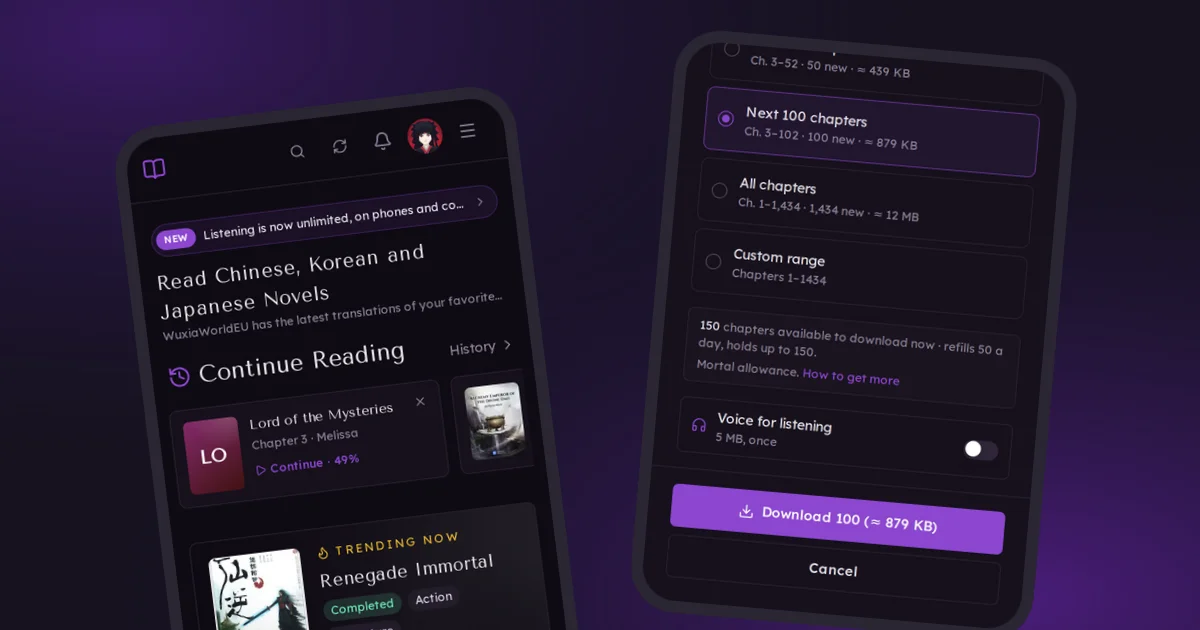
This round is about reading on your phone, especially if you've added ReadNovelEU to your home screen. Your place in a chapter is saved now, new chapters can come to you, and downloads mostly take care of themselves. Downloading also works a little differently, so that part comes first.
Downloads come with a daily allowance
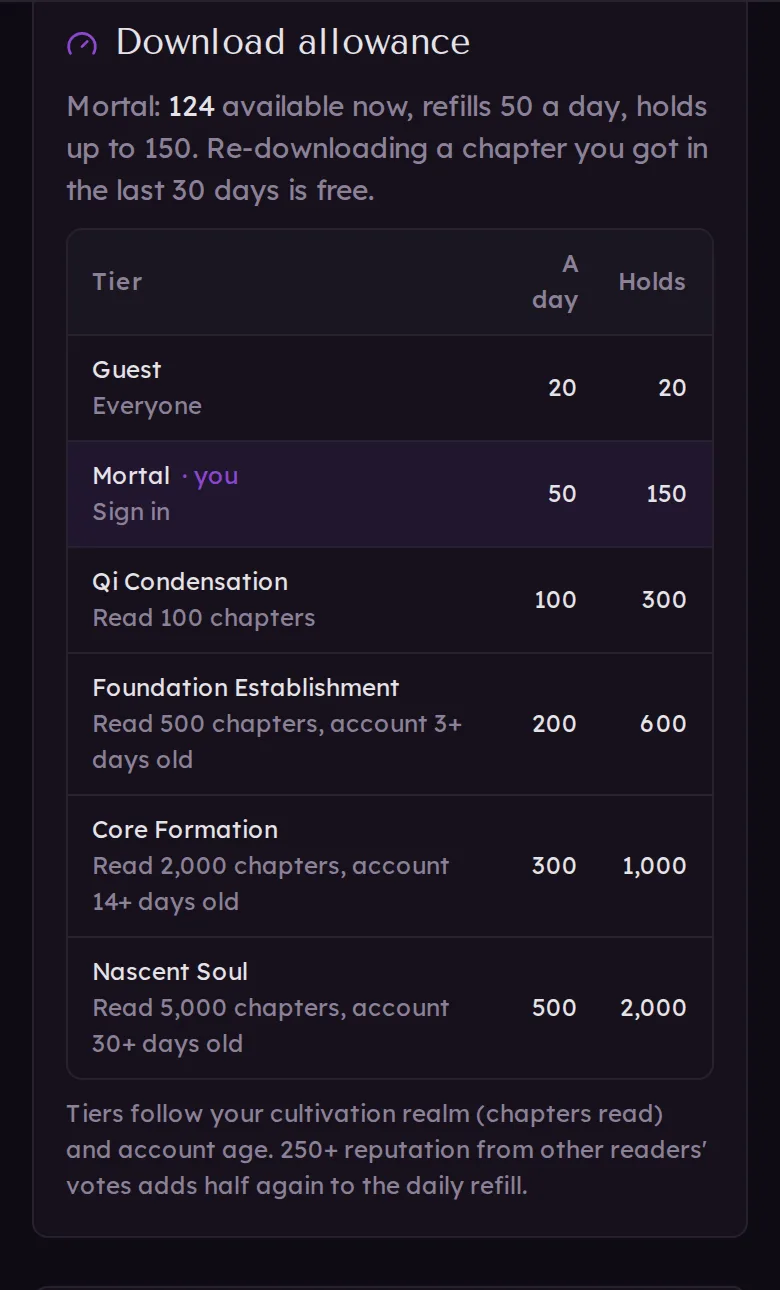
Until now you could download every chapter of every novel in one go. Now downloads come out of a daily allowance. It refills a little at a time all day long, not all at once at midnight. And it can save up, so if you haven't downloaded in a few days, there's enough waiting for a long flight.
The more you read, the bigger it gets. It follows your cultivation realm, the title on your profile:
- Not signed in: 20 chapters a day
- Signed in: 50 a day, saves up to 150
- Qi Condensation (100 chapters read): 100 a day, saves up to 300
- Foundation Establishment (500 read): 200 a day, saves up to 600
- Core Formation (2,000 read): 300 a day, saves up to 1,000
- Nascent Soul (5,000 read): 500 a day, saves up to 2,000
The higher realms also need an account that's a few days or weeks old. If other readers have given your comments and reviews 250 or more upvotes, your daily refill is half again as big.
Even the busiest readers on the site read about 250 to 300 chapters on their biggest days, so on a normal day you shouldn't notice it. A few more things:
- Downloading a chapter again within 30 days is free, for example after your phone cleared its storage.
- A download that's bigger than what you have left keeps going as your allowance refills, as long as the site is open.
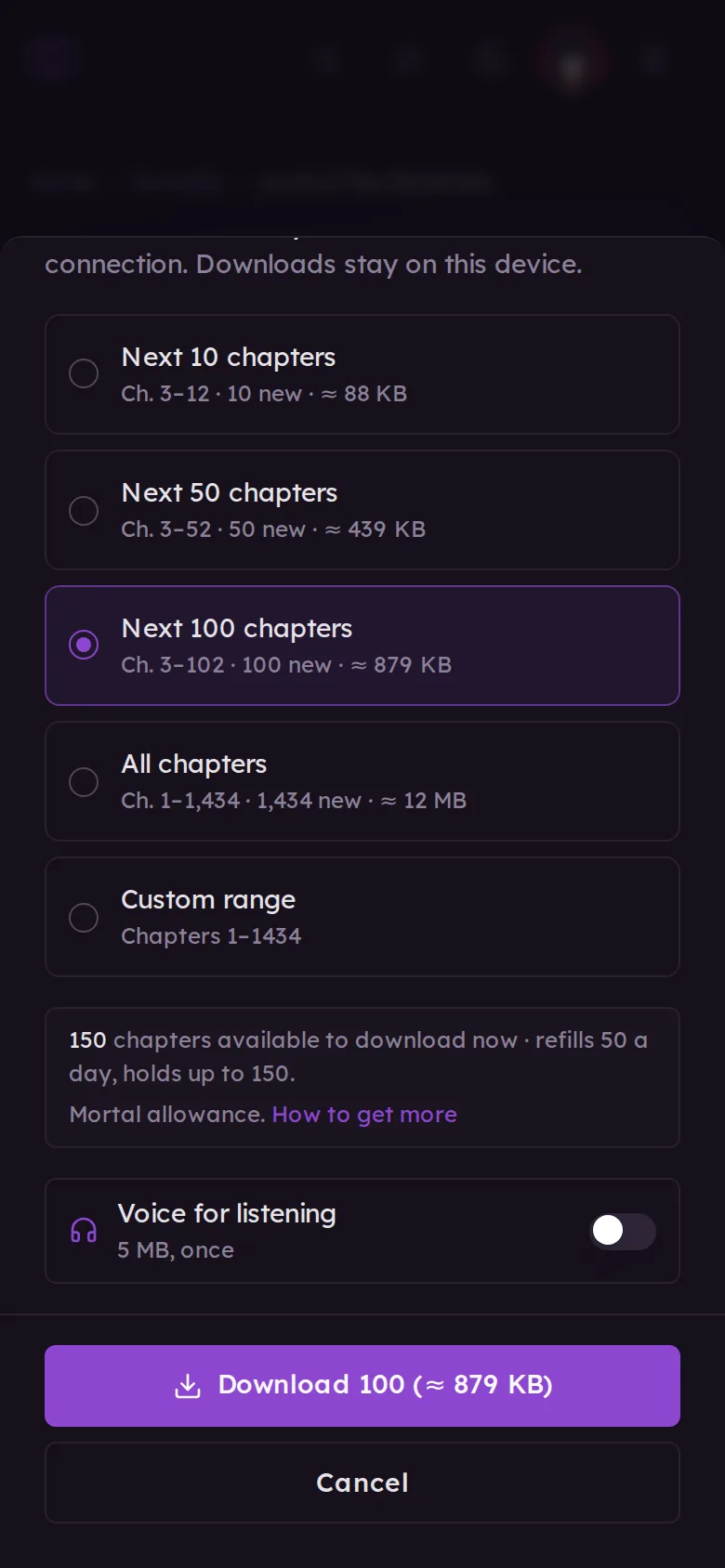
- The download sheet shows how many chapters you can get right now, and the Downloads page lists every realm.
New chapters download by themselves
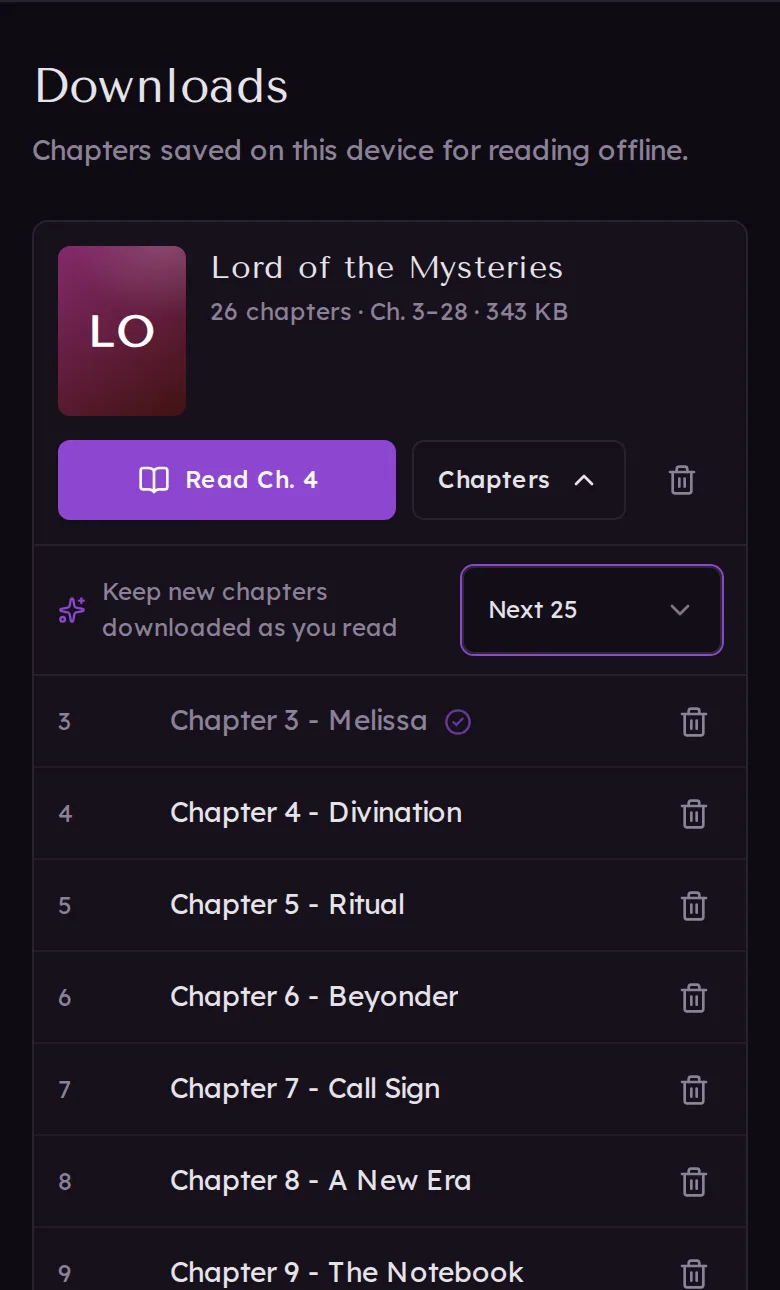
On the Downloads page, open a novel's Chapters and turn on Keep new chapters downloaded as you read. Pick 10, 25, 50 or 100. Each time you open the site with a connection, the next chapters after the one you're on are fetched quietly.
A few smaller things happen on their own:
- Chapters you read on another device count as read here.
- Fixed chapters update themselves. If a chapter's text is corrected after you downloaded it, your copy updates.
- Read chapters can delete themselves. To free up space, set Delete read chapters at the bottom of the Downloads page to after 3, 7 or 30 days. The chapter you last read always stays.
Pick up where you left off
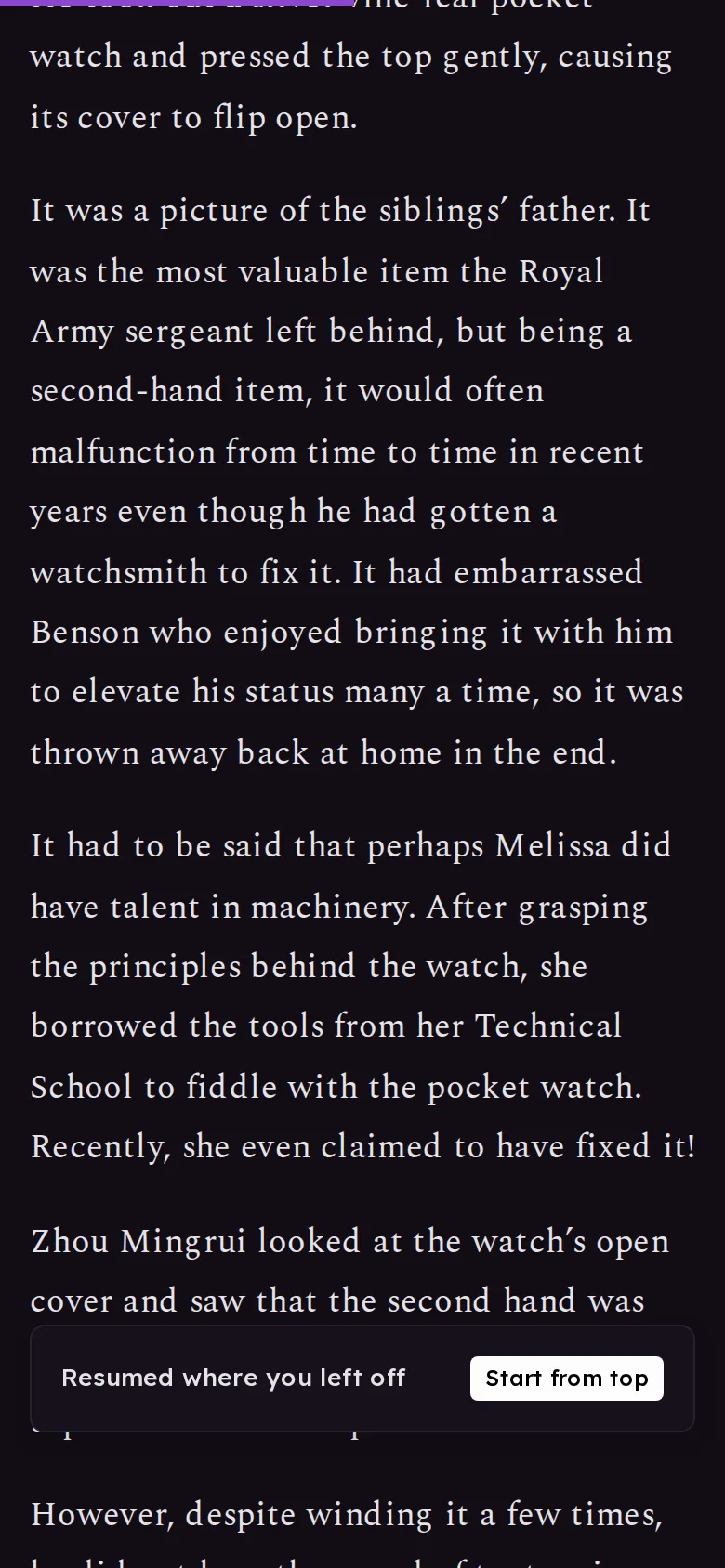
Your place inside a chapter is saved now, down to the paragraph. Open the chapter again, even after your phone closed the app, and you're back where you stopped. A note says "Resumed where you left off", with Start from top if you'd rather begin again. It keeps your place when you change the text size, too.
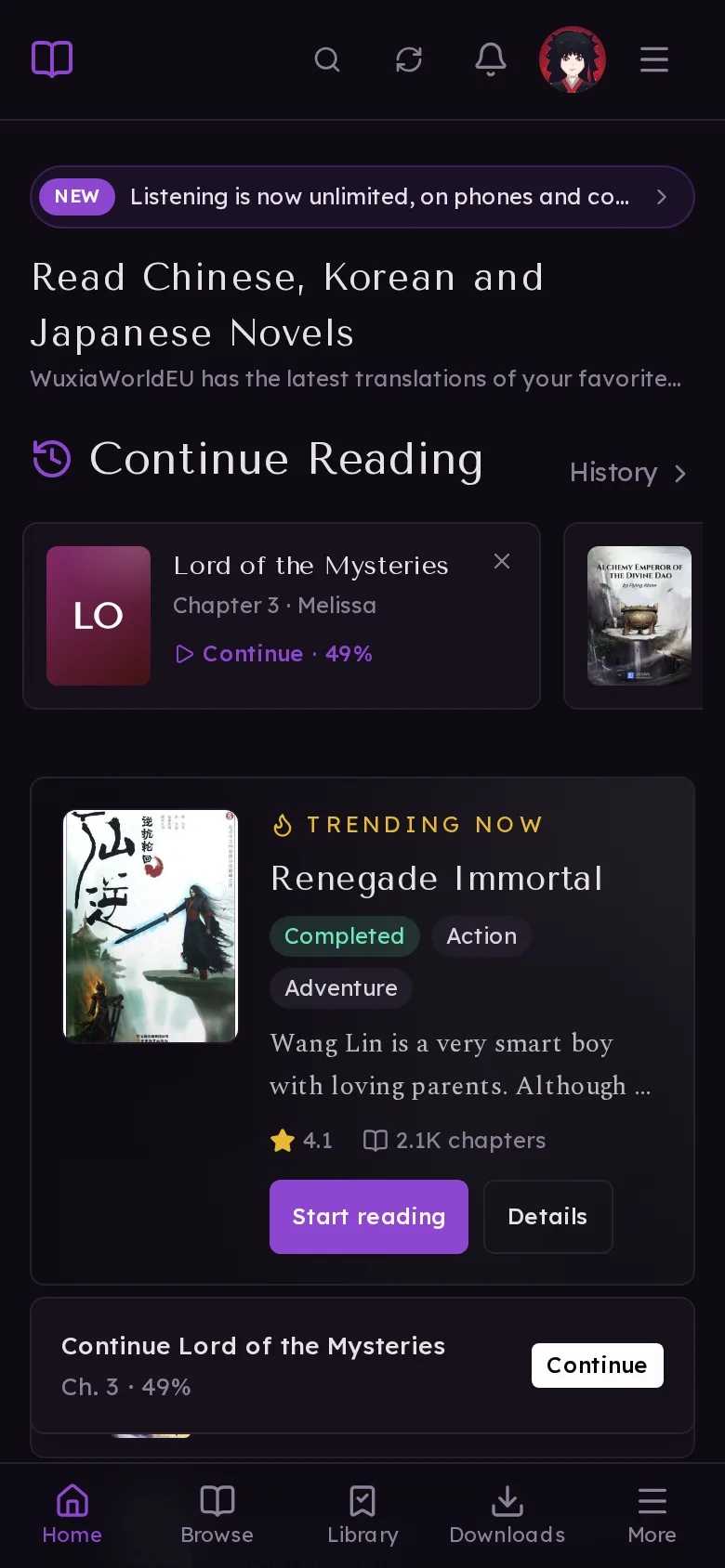
Signed in, your place follows you. Continue Reading on your other devices shows how far through the chapter you got and opens it right there. If you've added the site to your home screen, opening it offers to take you straight back to the chapter you were reading.
New-chapter alerts on your phone
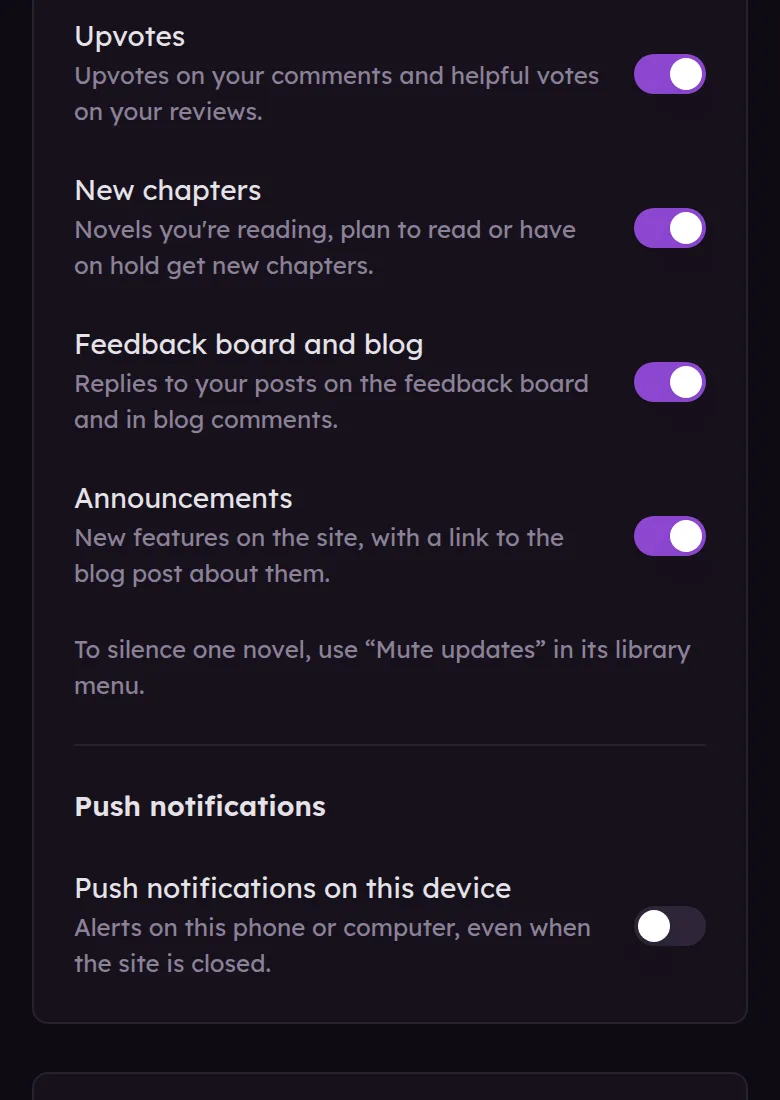
Turn on Push notifications on this device in Settings › Notifications. You'll get an alert when a novel in your library gets new chapters, and when someone replies to you or mentions you, even with the site closed. You choose which kinds you want. Several new chapters of the same novel come as one alert.
On an iPhone or iPad, add ReadNovelEU to your home screen first (Share, then Add to Home Screen) and turn notifications on from there. That's how Apple allows notifications for websites.
Your library, offline
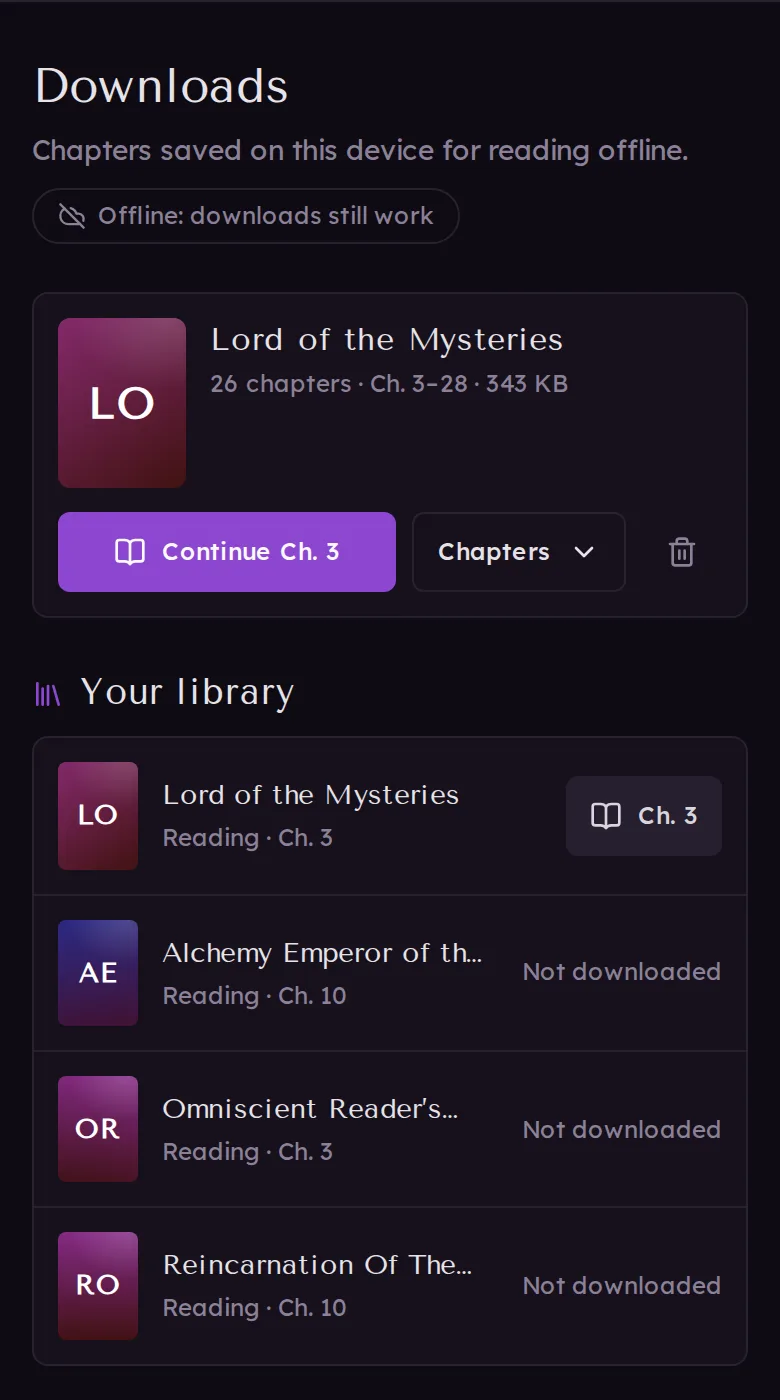
Offline, the Downloads page now shows your library too, with the chapter you're on for each novel. Downloaded novels open, and the others say so. Adding a novel to your library or changing its status without a connection works as well; it's saved on your device and syncs when you're back online.
An Update button
If you've added the site to your home screen, there's a new button with two circling arrows at the top of the page, next to search. The app updates itself at quiet moments anyway, but the button gets the newest version right away. A dot on it means an update is ready.
Tell me in the comments how this works on your phone: whether you ever run out of downloads, whether your place in a chapter comes back right, and whether alerts arrive on time.